Budgeting as a freelancer is different from a traditional salary. Your income fluctuates, expenses vary, and saving for taxes is essential. In this guide, I’ll show you how to build a simple, sustainable budget using a free Google Sheets template – tailored specifically for freelancers.
Why a Budget Matters for Freelancers
- Manage irregular income – smooth out the highs and lows.
- Plan for taxes – set aside a percentage of each payment.
- Build savings – create an emergency fund and invest in your business.
- Track performance – see if you’re actually profitable.
The Core Components
A good freelance budget has four main sections:
- Income – all incoming payments (gross).
- Fixed Costs – recurring expenses (software, subscriptions, insurance).
- Variable Costs – project‑based or fluctuating (marketing, travel, outsourcing).
- Savings & Taxes – set aside percentages for future needs.
Step‑by‑Step: Build Your Budget
- Estimate monthly income – average your last 6‑12 months of revenue.
- List fixed costs – rent, software, insurance, subscriptions.
- Estimate variable costs – marketing, travel, professional development.
- Set savings goals – emergency fund, retirement, business reinvestment.
- Calculate tax reserve – set aside 25‑35% of each payment (depending on your country).
- Review and adjust – compare actual vs budget monthly.
Free Google Sheets Template
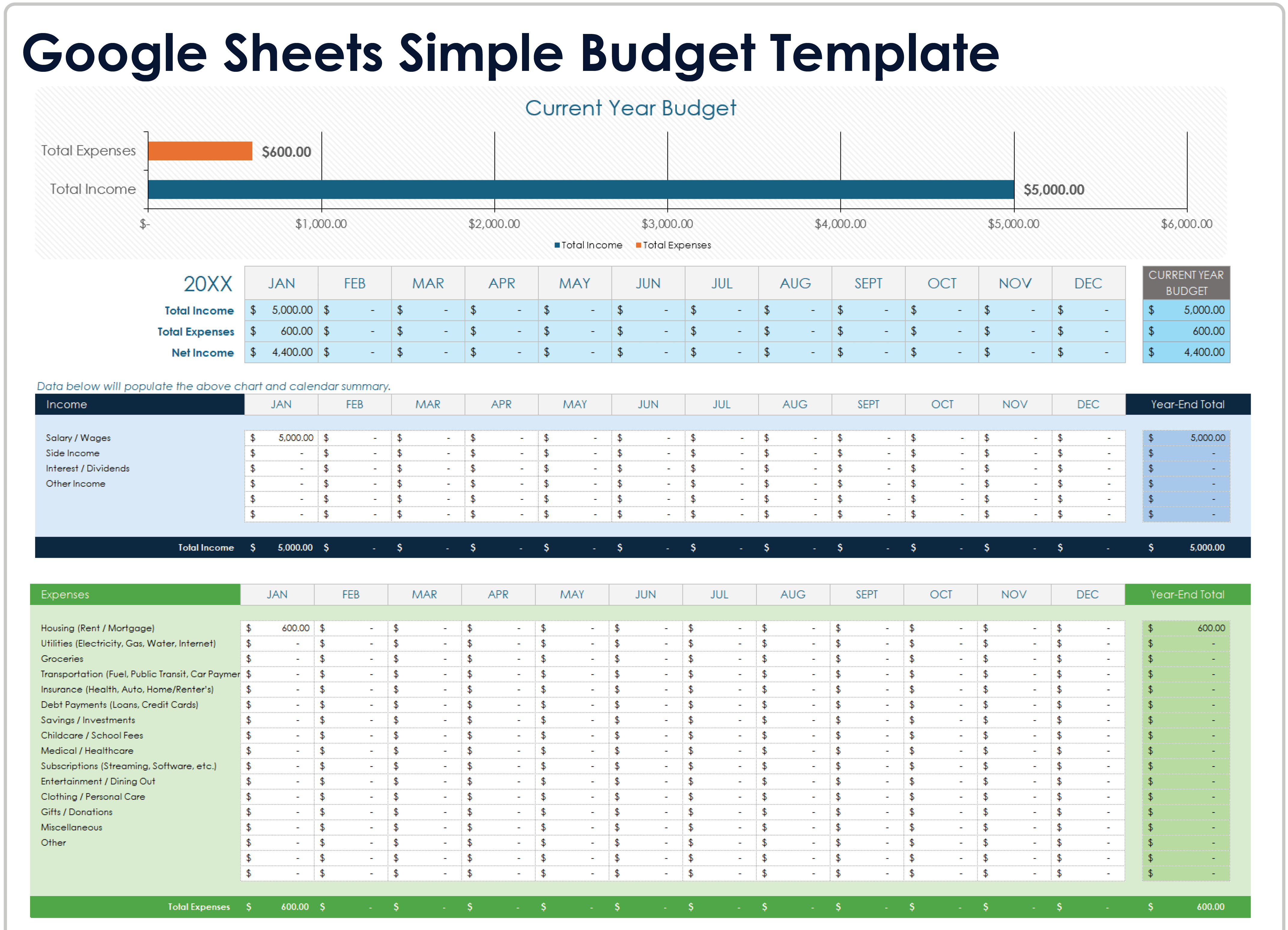
I’ve created a simple, ready‑to‑use Google Sheets template that includes:
- Income log (track each payment).
- Fixed and variable expense categories.
- Savings and tax allocation.
- Automatic summary (totals, net income, savings rate).
👉 Click here to copy the template to your Google Drive (replace with your actual link).
Example Scenario
Freelance Designer – Monthly Budget
- Income (avg): $5,000
- Fixed costs: $1,200 (software, insurance, subscriptions)
- Variable costs: $800 (marketing, travel, outsourcing)
- Tax reserve (30%): $1,500
- Savings (emergency + retirement): $1,000
- Net available for personal use: $500
This gives a clear picture of where the money goes and helps you adjust spending.
Tips for Successful Budgeting
- Separate business and personal accounts – makes tracking easier.
- Use the 50/30/20 rule – 50% needs, 30% wants, 20% savings (adapted for freelancers).
- Review monthly – adjust categories based on actual spending.
- Be realistic – don’t underestimate variable costs.
- Automate savings – set up automatic transfers to savings accounts.
Conclusion – Take Control of Your Finances
Budgeting gives you clarity, reduces stress, and helps you make better business decisions. Start with the template, customise it, and review it regularly. Over time, you’ll gain confidence in your financial health.
Get the template: Copy the budget template →